Experiences building agentic harnesses
Notes on designing the control layer around agents so they can plan, act, recover, and hand work back reliably.
 Claude Code
  Codex
Codex  OpenRouter
  Anthropic
  GitHub
  Browser
 Most of the public conversation about agents still gets pulled toward the model.
The model matters, obviously. A weak model in a strong product still feels weak. But the thing that makes an agent useful in a real team is rarely the raw chat loop. It is the harness around it: the control layer that decides what the agent can see, what it can do, how it recovers, how it hands work back, and how humans stay oriented while the whole thing is running.
Over the long run, I expect the major labs to win a lot of the standardized harness layer.
ChatGPT, Codex, Perplexity, Gemini, Claude Code, Claude Cowork, and whatever comes next will keep pushing deeper into everyday products through connectors, browser control, local tools, cloud execution, and shared authentication. For many workflows, users will not want every SaaS product to invent a completely separate agent experience. They will want their preferred agent to connect, understand the surface, and act safely.
But that does not make first-party harnesses pointless.
In the interim, they are one of the best ways to make agentic products actually usable. If you own the harness, you can design the product-specific UI, show progress in the right place, expose approvals at the right moment, attach artifacts to the right records, and make the work feel less like a transcript and more like a real workflow.
That control is the opportunity and the danger.
If we implement our own harness, we control the loop, the tools, the UI, the permissions, the cost model, the memory, the handoff, and the recovery path. With great power comes great responsibility. A harness is not just glue around a model. It is the product layer that decides what intelligence is allowed to become action.
In Platfio, that harness sat inside a broader consultancy platform supporting many customer applications and recurring agent-assisted workflows. That meant agent actions could affect real businesses, not demo sandboxes.
I was the principal engineer on the harness work, partnering with a designer and two senior engineers to turn the agent loop into a first-party product surface with scoped tools, visible state, compute sessions, artifacts, and handoff controls.
That is the difference between a fun agent demo and a harness. In production workflows, every unclear permission, vague tool failure, missing log, and unbounded retry becomes something users can feel.
The engineering work
This was not an advisory exercise or a thin wrapper around a chat API. I personally architected and implemented the first version of the harness, then kept ownership as it moved from prototype into production workflows used by agencies.
| Area | Engineering work |
|---|---|
| Agent runtime | Firestore-backed thread state, execution config, message persistence, resume/stop states, and iteration loop behaviour |
| Model layer | Initial direct OpenAI integration, later OpenRouter routing, model selection policy, fallback thinking, and cost/quality tradeoffs |
| Tool contracts | Product-shaped tool schemas, scoped tool catalog, structured outputs, UI blocks, tool errors, retries, and mutation boundaries |
| Permissions and audit | Agency scope, user identity, actor identity, lineage, credit checks, and tool execution inside explicit account boundaries |
| Evals | DeepEval suites, trace annotations, failure-mode taxonomy, and CI checks for proposal generation, support triage, app planning, code-review-style checks, and handover workflows |
| Cost controls | Credit accounting, expensive-action gating, model route defaults, retry discipline, and visibility around compute spend |
The production signal mattered more than the elegance of the abstraction. Agent sessions ran across planning, proposal, support, delivery, and handover workflows. That forced the harness to behave like product infrastructure: observable, permissioned, interruptible, auditable, and cheap enough to use repeatedly.
Contents
- The engineering work
- A concrete harness shape
- First-party agents
- The loop
- Models
- Prompts and playbooks
- Evals
- Tools
- Next suggestions
- Todos
- Compaction
- Credits
- Extensibility
- Reusability
- The lesson
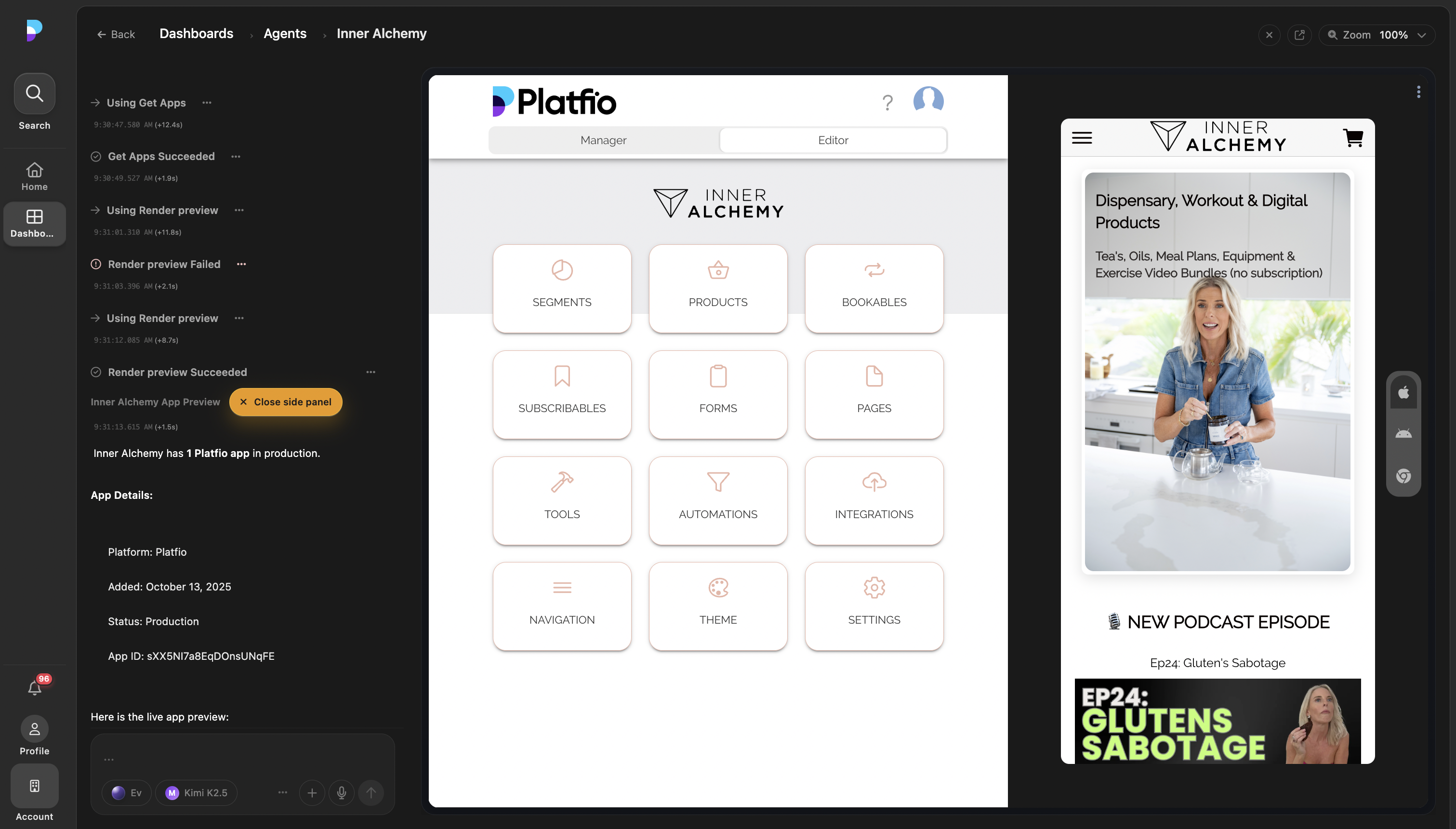
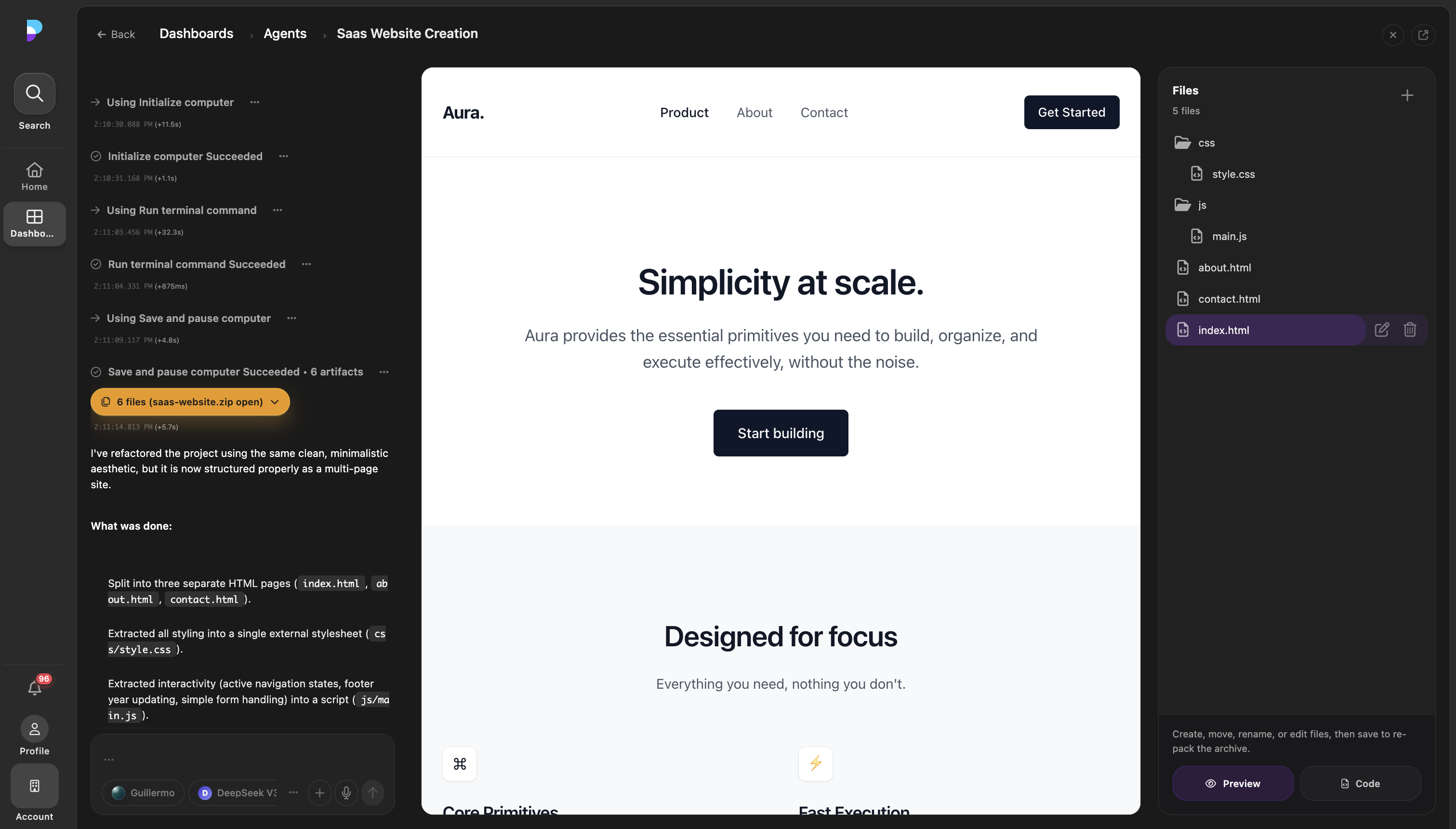
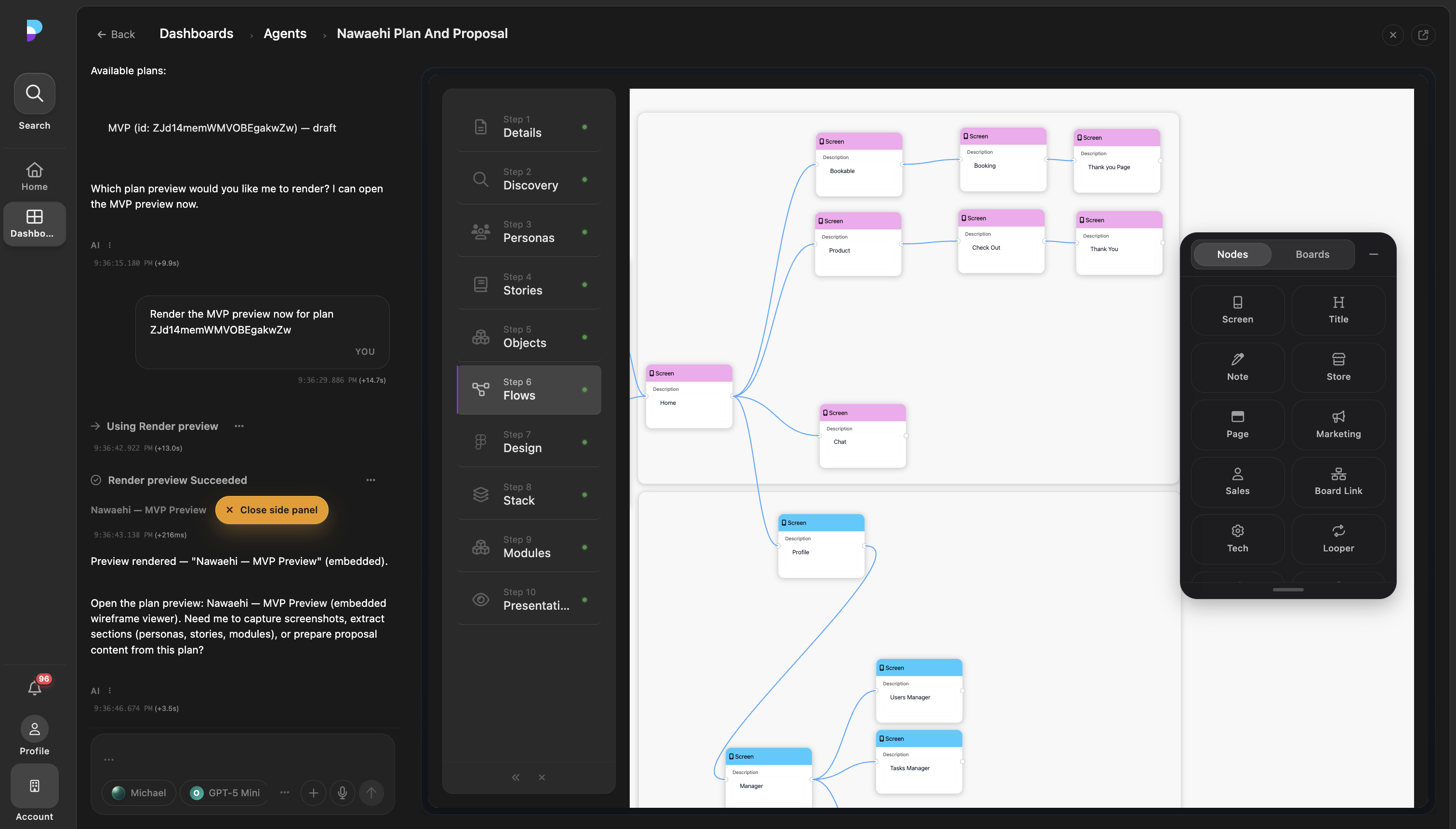
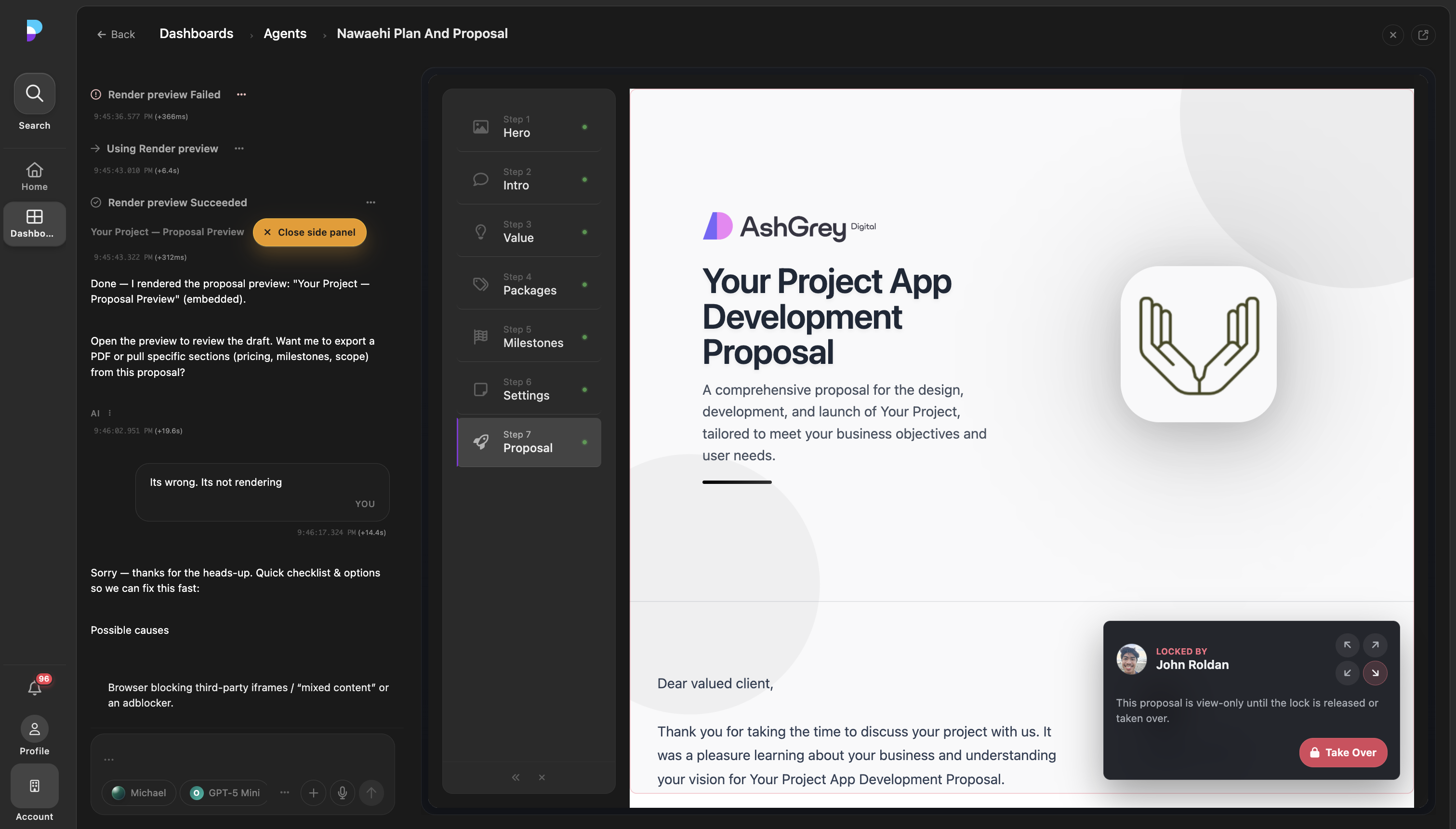
This is where a lot of agent projects quietly succeed or fail. The difference between a promising demo and something a team will trust every day is usually not one clever prompt. It is the boring-sounding machinery: timeouts, retries, permissions, resumability, tool boundaries, progress states, context compaction, review surfaces, and graceful stops.
These are my current notes from building that layer.
| Harness layer | Why it exists | Failure it prevents |
|---|---|---|
| Loop control | Keeps work inspectable | Endless model drift |
| Tool contracts | Narrows the action space | Strange, untyped failures |
| State surfaces | Keeps humans oriented | Transcript-only confusion |
| Permissions and credits | Controls risk and cost | Invisible spend or authority creep |
A harness is not just glue around a model. It is the product layer that decides what intelligence is allowed to become action.
A concrete harness shape
The harness shape I keep coming back to is not a generic task object sitting beside a chat transcript. In Platfio, it is closer to a Firestore-backed thread runner: messages, status, execution config, scoped tools, compute sessions, artifacts, and UI previews all orbit the same thread.
flowchart TD
  User["User message and attachments"]
  Route["/agent/start or /agent/resume"]
  Thread["Firestore thread<br/>messages, status, execution config"]
  Config["Execution config<br/>mode, model, max iterations, tool policy,<br/>prompt layers, context, response preferences"]
  Instructions["Thread instructions<br/>system prompt, attached entities,<br/>visible and hidden context"]
  Runner["Agent runner"]
  Scope["Agency scope, uid, credits"]
  Model["OpenRouter model resolution"]
  Mode{"Ask mode?"}
  Ask["Single assistant response"]
  Loop["Agent loop"]
  ToolSchemas["Filtered tool schemas"]
  ToolCall["Model tool call"]
  Catalog["Tool catalog execute"]
  ProductTools["Product tools<br/>plans, proposals, projects, tickets,<br/>files, app data, handover"]
  Compute["Thread-bound compute<br/>terminal, browser screenshots, artifacts"]
  Preview["Preview tools<br/>dashboard, emulator, plan, project, site"]
  Mcp["MCP connectors"]
  ToolResult["Tool message<br/>content, structuredContent, UI blocks"]
  Final["Assistant final message"]
  Artifacts["Firebase Storage artifacts"]
  Status["Thread status<br/>complete, waiting_for_user, stopped, error"]

  User --> Route --> Thread
  Thread --> Config --> Runner
  Thread --> Instructions --> Runner
  Runner --> Scope --> Model
  Config --> Model
  Config --> ToolSchemas --> Model
  Model --> Mode
  Mode -- "Yes" --> Ask --> Thread
  Mode -- "No" --> Loop --> Model
  Model -- "tool_calls" --> ToolCall --> Catalog
  Catalog --> ProductTools --> ToolResult
  Catalog --> Compute --> Artifacts --> ToolResult
  Catalog --> Preview --> ToolResult
  Catalog --> Mcp --> ToolResult
  ToolResult --> Thread --> Loop
  Model -- "no tool calls" --> Final --> Thread
  Thread --> Status
The important state is not one neat TaskState object. It is the set of records and contracts that make a run inspectable, resumable, and safe:
| State surface | What it stores | Why it matters |
|---|---|---|
| Thread | Messages, status, response ids, agent name, attached context | The run can be resumed, stopped, inspected, and rendered by the UI |
| Execution config | Mode, model, max iterations, tool policy, prompt layers, context layers, response preferences | Different agents can run with different authority, context, and output preferences |
| Conversation | User, assistant, and tool messages with tool call ids | The provider loop can continue correctly after each tool result |
| Scope and credits | Agency id, uid, actor uid, lineage, credit checks | Tools run inside an auditable agency boundary instead of ambient authority |
| Tool catalog | Function schemas, groups, categories, filters, uid override rules | Product capability is exposed deliberately rather than as an unbounded API surface |
| Compute session | Thread-bound workspace, command output, emitted artifacts, pause/resume state | Code, screenshots, ZIPs, and generated files survive beyond a single model turn |
| UI blocks and previews | Resource links, artifact metadata, preview URLs, embedded app surfaces | The result shows up in the product workspace, not only as chat text |
The tool contract in this harness is also more product-shaped than the generic ok/data/artifacts interface I often sketch on a whiteboard:
type ToolContext = {
  threadId: string;
  uid: string;
  agencyId: string;
  actorUid?: string;
  scopeType?: "agency" | "affiliate" | "business";
  lineage?: {
    agencyId?: string;
    affiliateId?: string;
    businessId?: string;
  };
};

type ToolResult = {
  success: boolean;
  error?: string;
  content?: string;
  structuredContent?: Record<string, unknown>;
  ui?: UIBlock | UIBlock[];
  [key: string]: unknown;
};
That shape matters. A compute tool can return a plain-text summary for the model, structured artifact metadata for the next tool call, and resource UI blocks for the frontend. A preview tool can return a URL that opens the actual product surface. A domain tool can mutate plans, proposals, projects, files, tickets, app data, handover state, or notifications while still carrying the thread id, agency id, actor, and lineage.
The model does not get every tool by default. The execution config can filter by category or explicit allow/deny lists, and the catalog checks agency membership before a tool runs. Tool calls are also serialized rather than parallelized, because these are product mutations and compute operations where order often matters.
First-party agents
The first decision is whether the agent is merely something you connect to, or something you own as a first-party experience.
The problem they solve
Connectors are valuable. MCP servers, CLIs, browser tools, and desktop tools let other agents reach your system without needing a custom integration every time.
But a connector is still operating inside somebody else’s harness. No matter how carefully you design the MCP server, you usually cannot control the surrounding product surface: where previews render, how approvals are framed, whether files feel editable or merely attached, how progress is shown, or which next action is obvious to the user.
That gap matters most when the agent is not just retrieving data. It matters when the agent is creating a website, editing an app, generating a proposal, producing files, changing customer records, or handing work to another person. At that point, the work needs a place to live.
Why connectors are not enough
The first-party UI gives you things that a connector alone cannot:
- A clear place to show what the agent is doing now.
- Product-specific controls instead of generic chat affordances.
- Opinionated defaults for your users, your data, and your risk model.
- A reliable handoff point when the agent needs approval, clarification, or review.
- A way to teach users the shape of the system without asking them to understand the protocol layer underneath it.
The connector is the port. The first-party agent is the cockpit.
Control the UI
If the agent can affect the product, the product needs to show the agent’s state.
That sounds simple, but it changes the architecture. A good harness does not treat the agent as a black box that occasionally emits text. It treats the agent as a long-running actor with visible state:
- What task is it trying to complete?
- What step is it on?
- Which tools has it called?
- What is it waiting for?
- What did it change?
- What can the user do next?
I like UIs where the user can stay in the flow of the work rather than watch a transcript scroll by. Chat is still useful for intent and clarification, but the main workspace should expose structured state: todo lists, diffs, pending approvals, preview panes, logs, browser sessions, files, artifacts, and suggested next actions.
The UI is not decoration around the agent. It is the mechanism that keeps the user in control.
The loop
We tried a few variations on the agent loop, but the core pattern was never the complicated part.
Most useful harnesses reduce to the same small cycle you see in open-source agents like OpenHands and similar projects:
- Read the current state.
- Decide the next action.
- Run the action.
- Observe the result.
- Update visible state.
- Stop, ask, or continue.
The implementation can be simple. A while loop is often enough at first. The value is not that the loop is clever. The value is that the product owns it instead of letting the whole workflow disappear into an unbounded model conversation.
Owning the loop gives you leverage:
- You can stop after each step and evaluate whether the agent is still on task.
- You can enforce tool budgets, token budgets, and wall-clock limits.
- You can persist state between iterations.
- You can resume after interruptions.
- You can expose progress in the UI.
- You can collect useful traces for debugging.
The agent should not just “think until done”. It should move through a controlled cycle that the product can inspect.
Timeouts and retries
This is where most of our experimentation ended up.
Every external action should have a timeout. Every retry should have a reason.
Agents make this more important, not less, because one stuck tool call can leave the whole session feeling haunted. A human can usually tell when a browser is frozen or a command is hanging. An agent may simply wait, hallucinate around the missing result, or burn the user’s patience.
The harness should own this policy:
- Tool calls need hard timeouts.
- Long-running commands need heartbeats or streamed output.
- Retries should be capped and visible.
- The model should know when a retry happened and what changed.
- The user should be able to interrupt the run without losing the task.
Retries are especially easy to overuse. Retrying the exact same failing action three times is usually just expensive denial. A better retry changes something: narrower input, a different tool, a smaller batch, a refreshed page, a clearer error report, or a handoff back to the user.
Retry loops need a changed condition
Retry policy belongs in the harness, not the model’s optimism. Cap retries, make them visible, and require a changed condition before trying again.
Models
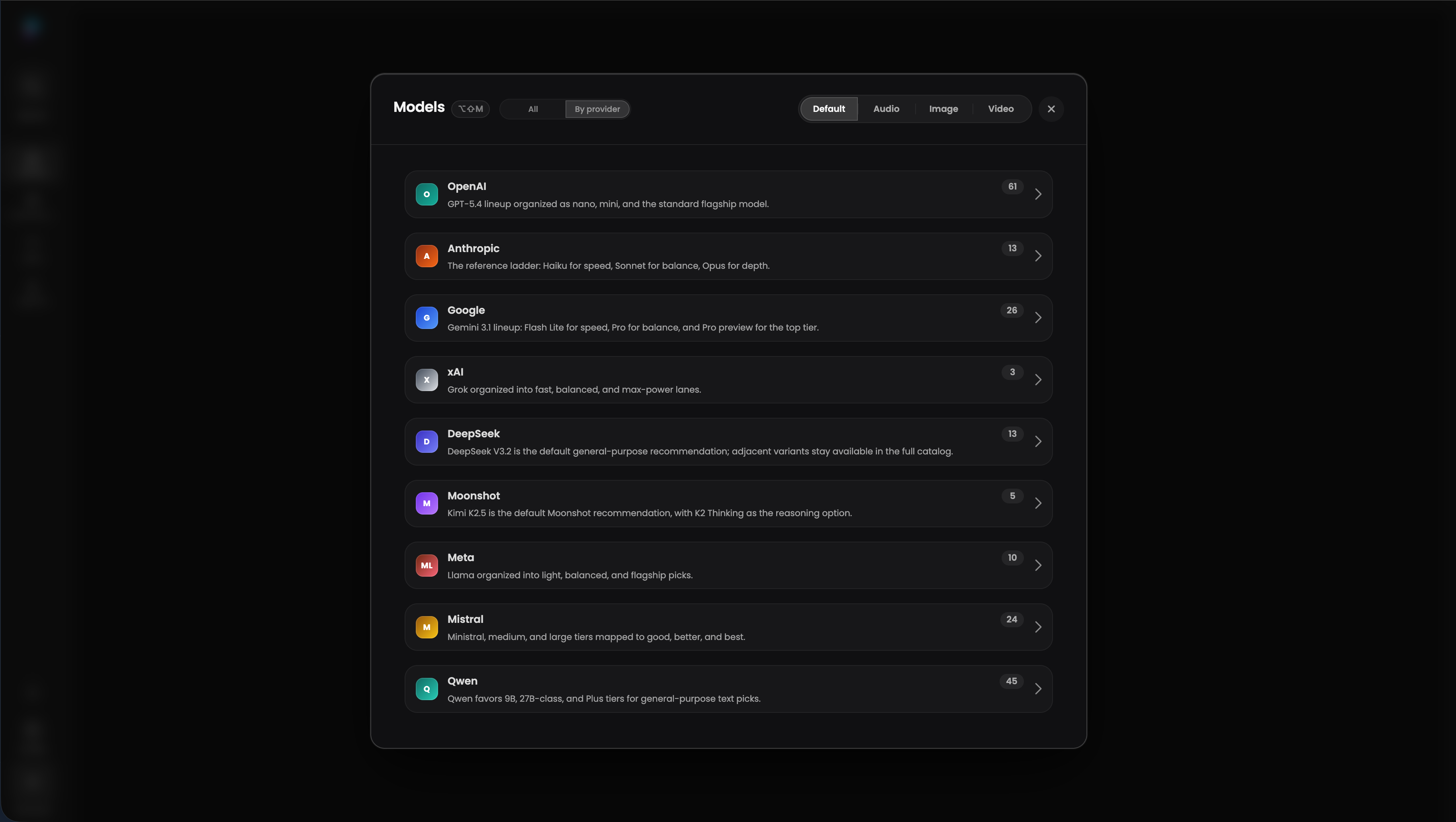
We started with a straightforward primary connection to OpenAI.
That was the right place to begin. It kept the first version simple and let us focus on the harness, tools, UI, and product workflows instead of turning model routing into an early architecture project.
But once agents started running real workflows, the model layer became a product and commercial decision, not just an implementation detail.
Cost became a product constraint
Agent costs can get out of control quietly. One workflow might be fine, but repeated production usage changes the shape. Long context, retries, browser work, summarization, stronger planning models, and repeated recovery attempts all compound.
Not every step needs the strongest model. Planning, code editing, short classification, long-context synthesis, browser control, and final summarization have different latency, context, reliability, and price requirements.
The harness needed to decide:
- Which model handles the main loop.
- Which cheaper model can summarize logs or classify intent.
- Which stronger model gets called for planning, review, or recovery.
- Which tasks need vision, computer use, or long context.
- When to keep a session on one model for continuity.
Technical users wanted model choice
The second surprise was that model experimentation was a selling point for technical users.
They did not want the product to be hard-wired to one provider forever. They wanted to try newer models, compare quality, use cheaper open-source models where they were good enough, and keep the option to move when the market shifted.
That pushed us toward routing all model calls through OpenRouter. It gave the harness a single place to test capabilities, pricing, latency, fallbacks, and provider changes without rewriting the agent around every model API.
Routing is policy, not magic
OpenRouter made experimentation easier, but it did not remove the need for product judgment. A router helps you switch engines. It does not decide what your users should trust.
The harness still owns the policy: when to spend on a stronger model, when to use a cheaper open-source model, when to keep continuity on the same route, and when a workflow is too sensitive or too consequential for the cheaper path.
-
OpenRouterMoved model calls behind one routing layer so we could test capability, latency, price, and fallback behaviour without hard-wiring the harness to one provider.
-
Primary modelThe initial path was a direct OpenAI integration, which kept the first harness simple while the product surface was still forming.
-
Provider flexibilityTechnical users valued the ability to experiment with frontier and cheaper open-source models as workflows matured.
Prompts and playbooks

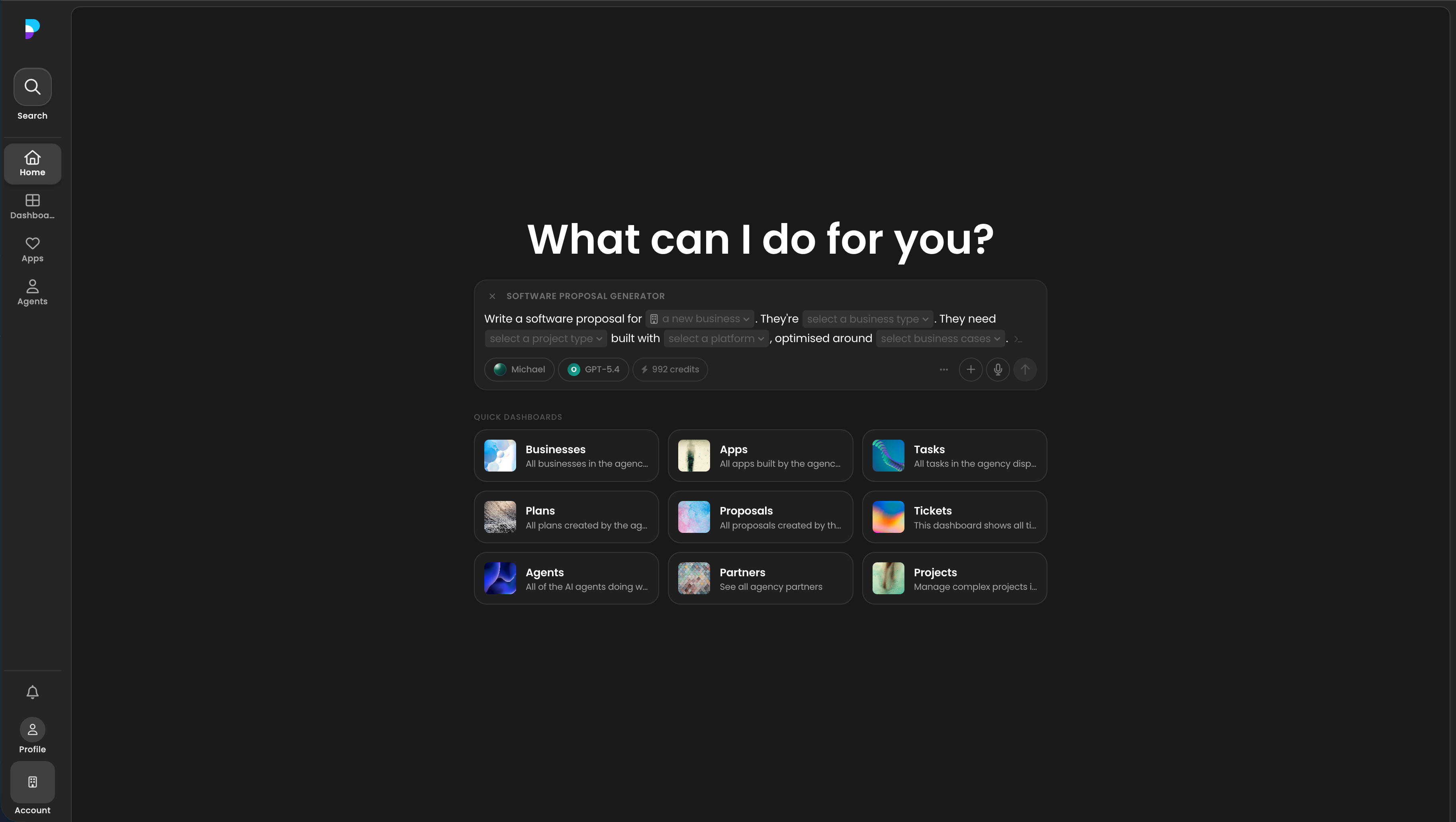
The blank page problem is real.
Agents are still a new product surface for many users. Even when the agent is capable, people often do not know where to start, what context to include, how specific to be, or what a good request looks like for a workflow.
Starter prompts were not enough
We started with starter prompts. They helped users understand what was possible, but they were still mostly static text.
That became a problem as soon as the prompt needed real product context. Users had to substitute dynamic data themselves: customer names, agency details, project goals, constraints, records, app state, handoff requirements, and links to the right artifacts. Some users did that well. Many did it inconsistently. A good starter prompt could still produce a weak run if the user filled the variables badly or skipped the important context.
Playbooks turned prompts into product UI
The better pattern was the playbook: a prompt with structured dynamic fields that could be filled through the UI.
This was inspired by Manus and implemented in Platfio as a product concept, not just a prompt library. Instead of asking users to copy a giant instruction block and edit it manually, the UI could guide them through the fields the workflow actually needed. The harness could then compose the final instruction with the right context, defaults, records, permissions, and output expectations.
A playbook could define:
- How to investigate a customer issue.
- How to run a code review.
- How to prepare a pull request.
- How to reconcile spreadsheet data.
- How to use a browser session safely.
- How to escalate when confidence is low.
This keeps the base agent smaller and makes the product easier to evolve. You can version playbooks. You can test them. You can show them to power users. You can improve one workflow without destabilizing every other workflow.
Prompts should be treated like product code: reviewed, versioned, measured, and pruned.
Blank-page endings
If a user finishes an agent run and does not know what to do next, the workflow is under-specified. The playbook should define the handoff posture: show the artifact, ask for approval, create a task, retry with narrower scope, or suggest the next safe action.
Evals
Evals are still part of the harness story, but they deserve their own treatment. The short version is that playbooks, tools, model routes, and handoffs need to be tested as product workflows rather than as isolated prompts.
In Platfio, that meant DeepEval suites, trace annotations, failure-mode taxonomy, and CI checks for proposal generation, support triage, app planning, code-review-style checks, screenshot QA, and handover workflows. Production traces became fixtures; annotated failures became regression coverage; CI made prompt and tool changes visible before they shipped.
I split the deeper operating model into Evals and observability: trace-first instrumentation, dataset curation, deterministic checks, LLM-as-judge calibration, agent trajectory evals, online monitors, and the release loop that keeps failures from repeating.
The important harness lesson is simple: if the agent can act, the product needs enough evidence to evaluate the action path, not only the final answer.
Tools
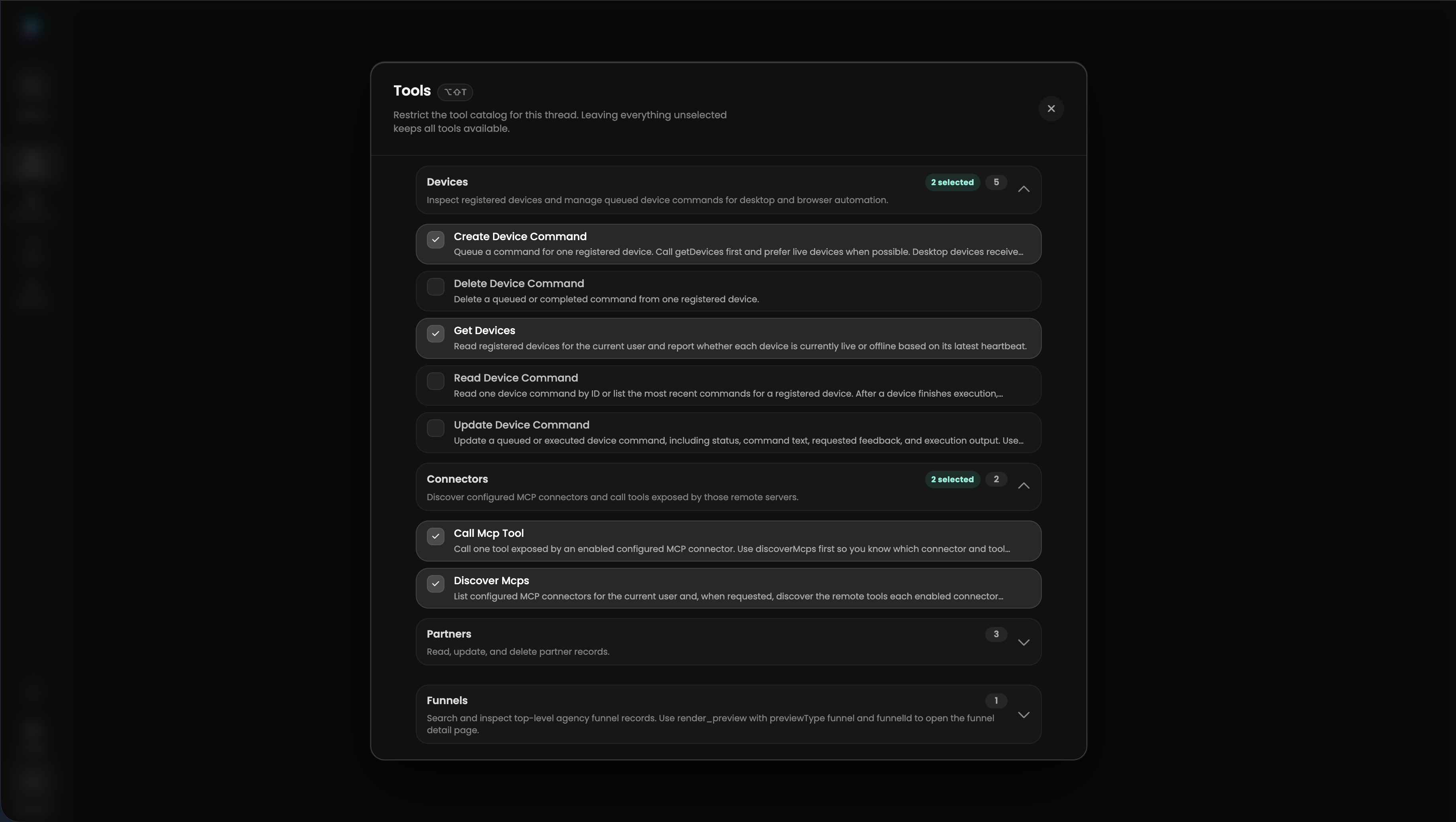
Tools are where agent harnesses either become useful or become chaos.
The early temptation is to give the model broad access and let it figure things out. In a Firebase-heavy product, that might mean a tool that can run arbitrary Firestore queries. It feels powerful, but it pushes too much of the product model into the prompt. The agent has to know which collection matters, which filters are safe, which joins are implied, which records it is allowed to touch, and what a good result looks like.
That is a weak tool surface.
Specific tools beat arbitrary access
Good tools are narrow, typed, and product-shaped. They hide the database ceremony and expose the business action directly.
| Weak tool surface | Stronger tool surface | Reason |
|---|---|---|
| Run arbitrary Firestore query | Fetch customer account summary | Protects invariants and reduces prompt burden |
| Update arbitrary Firestore document | Update proposal status | Keeps mutation rules inside the product |
| Click through admin UI | Create campaign report | Gives the model the business action directly |
| Upload unknown file | Attach approved artifact to case | Keeps provenance and destination clear |
I would rather give an agent five excellent product-specific tools than fifty generic ones. If a workflow needs a sequence of low-level calls, wrap that sequence behind one higher-level tool. The model should not have to reinvent your business process from primitives every run.
The smell is simple: if the model has to remember a five-step internal ritual every time it uses a tool, the product probably needs a better tool.
Failures need recovery paths
The second lesson was error quality.
Tool failures should not leave the model guessing. A bad error says failed. A useful error tells the agent what happened, whether the failure is recoverable, which input was invalid, what state prevented the action, and what the safe next move is.
Good tool errors became part of the harness contract:
- Say whether the failure is retryable.
- Include the field, record, permission, or external service that caused the issue.
- Return structured details the next tool call can use.
- Suggest a narrower action, missing approval, or user handoff when appropriate.
- Avoid leaking internal implementation details the user or model should not depend on.
In practice, this meant the tool layer had to carry product judgment, not just backend access. An agent updating a proposal, creating a plan, attaching a generated artifact, or preparing a handover needed the same business rules a human user would face: agency membership, account scope, record ownership, approval state, billing/credit state, and audit history. The safest tool call was the one that made the allowed business action explicit.
This is one of the places where agents punish sloppy backend ergonomics. If a human engineer sees a vague error, they can inspect logs. If the model sees a vague error, it often retries blindly, apologizes vaguely, or drifts into a workaround that should never have happened.
Tool control matters as the catalog grows
The third lesson was tool sprawl.
As we added more tools, the agent initially looked more capable. Then selection quality started to regress. More tool schemas meant more context spent describing capabilities, more similar names for the model to choose between, and more chances for the wrong almost-right tool to be selected.
The harness needs tool control. Different agents, playbooks, and modes should be able to toggle tools on and off so the model only sees the tools relevant to the current job. That keeps the context window cleaner and the action space smaller.
A good tool catalog should support:
- Category-level allow and deny lists.
- Per-agent tool profiles.
- Playbook-specific tool sets.
- Read-only, approval-required, and mutation-capable modes.
- Hidden internal tools that can be composed by the harness without exposing every primitive to the model.
More tools is not automatically more capability. Past a certain point, it is cognitive load inside the context window. The product should curate the tool surface before the model has to reason over it.
Next suggestions
One of the highest-leverage UI elements is the next suggestion.
When an agent finishes, it should not simply stop at “done”. It should leave the user with useful next moves:
- Review this diff.
- Run this test.
- Publish this artifact.
- Ask the agent to continue with the next item.
- Create a follow-up task.
- Connect the missing account.
- Retry with narrower scope.
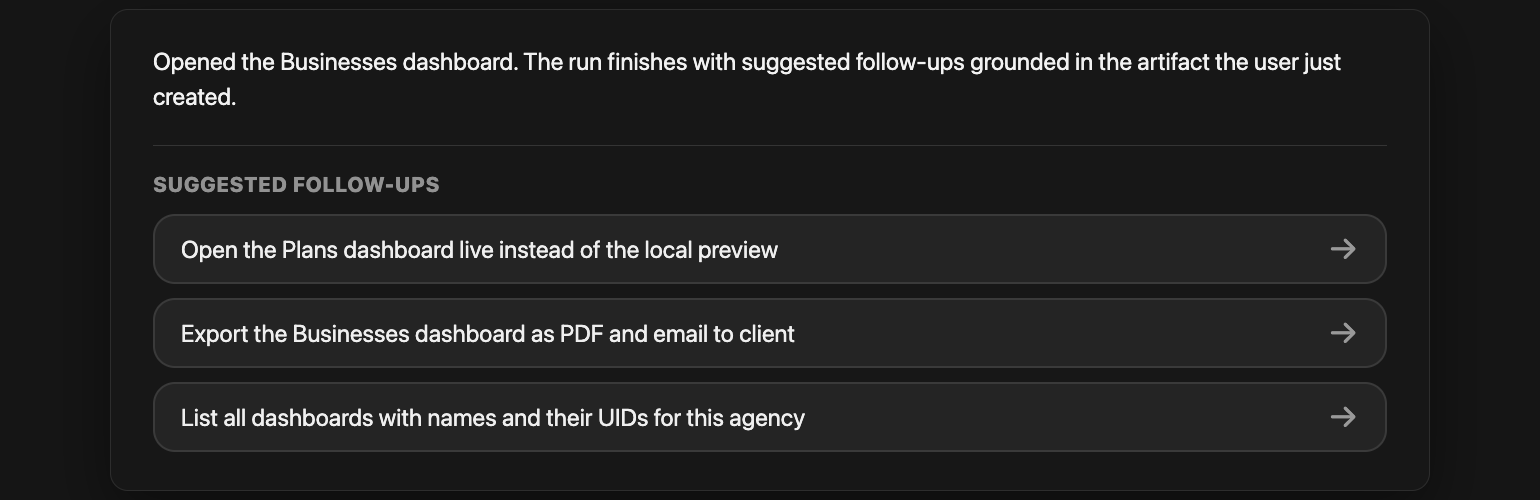
Good suggestions reduce the blank-page feeling after an automated run. They also teach users what the agent is capable of in context. The trick is to make suggestions grounded in the actual run, not generic buttons stapled under every response.
No empty handoff
The user should never land on a blank page after the agent stops. Next suggestions are the product’s way of saying: here is what changed, here is what is safe to do next, and here is where the human decision belongs.
Todos
Todos came from eval failures, not taste.
Longer-running tasks were not performing well enough. The agent would start in the right direction, lose track of intermediate commitments, skip a verification step, or finish with a plausible answer that did not match the actual workflow state.
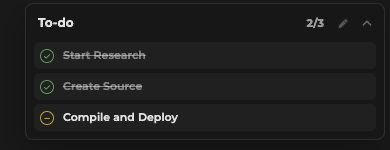
So we built a todo system the model could use as a tool.
For the model, todos create lightweight working memory. For the user, they create a progress surface. For the harness, they create checkpoints where the system can evaluate whether the run is still coherent.
Still controversial
This remains a little controversial. Some model providers argue that smarter models should not need explicit todo lists. Maybe that becomes true for more workflows over time.
But designing the harness around that assumption precludes cheaper model routes. If only the strongest model can reliably hold the full plan in its head, every long-running task becomes more expensive by default. Keeping todos as a tool lets the harness use cheaper models where they are good enough, while still giving them enough structure to complete multi-step work.
A useful todo system should be:
- Editable by the user.
- Updated by the agent as work progresses.
- Linked to evidence, artifacts, or tool calls when possible.
- Preserved across compaction and resume.
- Small enough to remain legible.
The todo list should not become a second transcript. It should be the shape of the work and the evidence that the agent is still on it.
Compaction
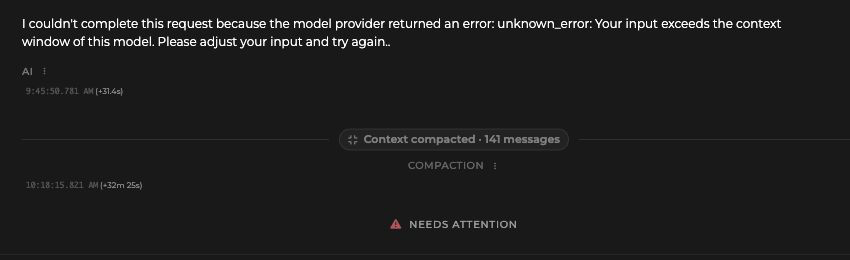
Long-running agents eventually hit context limits. The harness needs an answer before that happens.
Compaction is the process of turning the messy history of a run into a smaller state packet the model can continue from. Done poorly, it erases the nuance the agent needs. Done well, it lets the session keep moving without dragging every token behind it.
A useful compaction summary should preserve:
- The user’s goal.
- Decisions already made.
- Constraints and preferences.
- Files, records, or pages touched.
- Current todo state.
- Errors encountered and how they were handled.
- Open questions.
- The next intended action.
The harness should trigger compaction intentionally, not only after the model crashes into a limit. It should also treat compaction as auditable state. When the session resumes, the user should not feel like a different agent woke up with only a vague memory of the job.

Avoid the needle-in-haystack resume
Context loss is not only forgetting. It is also burying the important decision inside 80,000 tokens of transcript. Good compaction keeps the needle out of the haystack: current intent, decisions, constraints, touched records, open questions, and the next action should be immediately visible.
A compacted state packet might look like this:
Goal: prepare a proposal draft from the agency discovery notes.
Surface: proposal builder for Business A, Agency B.
Decisions: use booking + subscription primitives; exclude custom native feature request for now.
Touched artifacts: discovery transcript, proposal draft, pricing assumptions, open questions.
Current todos: confirm App Store account ownership; add launch timeline; review payment integration risk.
Errors: first model route produced vague scope; second pass used the proposal playbook.
Next action: ask user to approve exclusions before generating the client-facing version.
That is much more useful than “we discussed the proposal and made some progress.”
Credits
Credits are a product language for cost, scarcity, and fairness.
If the agent can spend real compute, call paid APIs, run browsers, create media, or use premium models, the user needs some sense of what is being consumed. This does not always need to be a visible meter, but the harness should know:
- Which actions are expensive.
- Which actions are user-billable.
- Which actions should require confirmation.
- Which users, teams, or plans can access which capabilities.
- What happens when a run exhausts its budget.
Credits also create a helpful design constraint. They force the product to ask whether an agent action is worth doing. That pressure often improves the system.
At production scale, credits are not just billing decoration. They are a way to keep the product honest about expensive actions: browser sessions, media generation, stronger model routes, long context, and repeated retries. The harness needs to know which of those actions are worth spending on and which should be gated, downgraded, or handed back to the user.

Model choice is a credits UX problem
The UI should encourage users to pick the model that will get the job done for the fewest credits. But it should also nudge them toward a stronger model when the query is complex enough that the cheaper path is likely to waste time, retries, and user trust.
We experimented with this without a huge amount of success. Generic “choose a stronger model” prompts are easy to ignore, and users often do not know enough about the underlying model tradeoffs to make the best call.
The most successful version came through playbooks. A playbook can carry a recommended model route for that workflow, which manages credits while protecting output quality. Proposal generation, support triage, screenshot QA, and code review do not all need the same model by default.
We are still experimenting with more automatic model selection based on query complexity, but the principle is the same: credits should push the product toward the cheapest model that can do the job well, not merely the cheapest model.
Bill shock is a harness failure
Model-provider spend can drift quietly when the expensive route, browser path, or long-context retry becomes the default. The harness should surface cost pressure early, route deliberately, and treat surprise spend as product feedback, not an accounting footnote.
Extensibility
An agent harness should be extensible without becoming shapeless.
Your first-party agent UI is one entry point. MCP connectors are another. CLI tools are another. Browser and desktop use sit at the edge for workflows that cannot be reached cleanly through APIs.
The important part is that extensibility should expose stable capabilities without leaking the whole internal implementation. Otherwise you end up with one security model for the UI, another for the MCP server, another for internal scripts, and another for the agent. That fragmentation is where strange bugs and trust problems breed.
Connectors
Connectors should expose stable capabilities, not your whole internal implementation.
For example, “create campaign report” is a better connector surface than “run these six database queries, then call this private endpoint, then upload a file”. The connector should give external agents enough power to be useful while preserving your product’s invariants.
Computer use
Computer use is powerful because it lets agents operate in places without APIs. It is also one of the easiest ways to create fragile systems.
The useful pattern is to treat computer use as a fallback or bridge, not the foundation of every workflow. Prefer APIs, SDKs, database reads, MCP tools, and product-native actions when you have them. Use computer use when the UI is the only interface, when the goal is inherently visual, or when the task needs to verify what a human would actually see.
When you do use it, the harness should make the session inspectable:
- Show the browser or desktop state.
- Capture screenshots at meaningful points.
- Keep an action log.
- Bound the environment.
- Require confirmation before destructive actions.
- Let the user take over.
Computer use should feel like supervised operation, not remote possession.
Desktop use is the broadest escape hatch. It can reach native apps, local files, and workflows that live outside the browser.
That breadth makes it valuable for expert users and risky for everyone else. I would gate it carefully, log it clearly, and design it around handoff: the agent can prepare, navigate, and suggest, but the human should remain close to consequential actions.
Browser
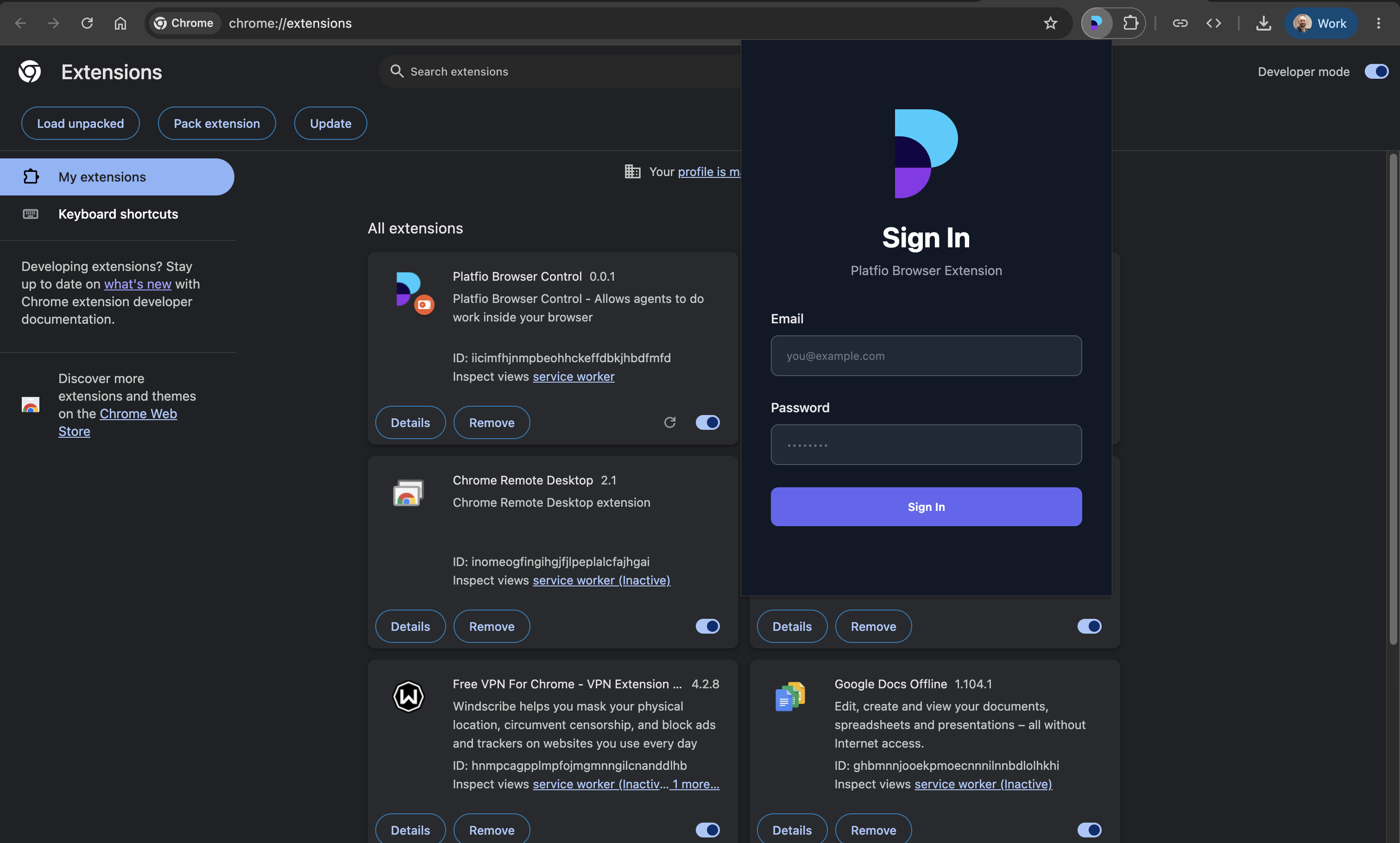
A browser-control extension is often the cleaner version of computer use for web tasks: QA, admin consoles, legacy tools, visual checks, or sites without proper APIs.
It gives the agent a visible browser surface to navigate, inspect, scrape, test, and verify while still keeping the user close to the session. You can attach screenshots, keep traces, expose the current page state, and let the user take over when the next action needs human judgment.
The biggest product question is identity. Whose browser is it? Which cookies does it have? Which permissions? How long does the session live? What gets stored? What gets redacted?
If the harness cannot answer those questions clearly, users will eventually lose trust. Browser automation touches too many sensitive surfaces to be vague about custody. And if browser use becomes the default path for core product actions, that is usually a sign the product needs better internal tools.
Reusability
The best harness work compounds.
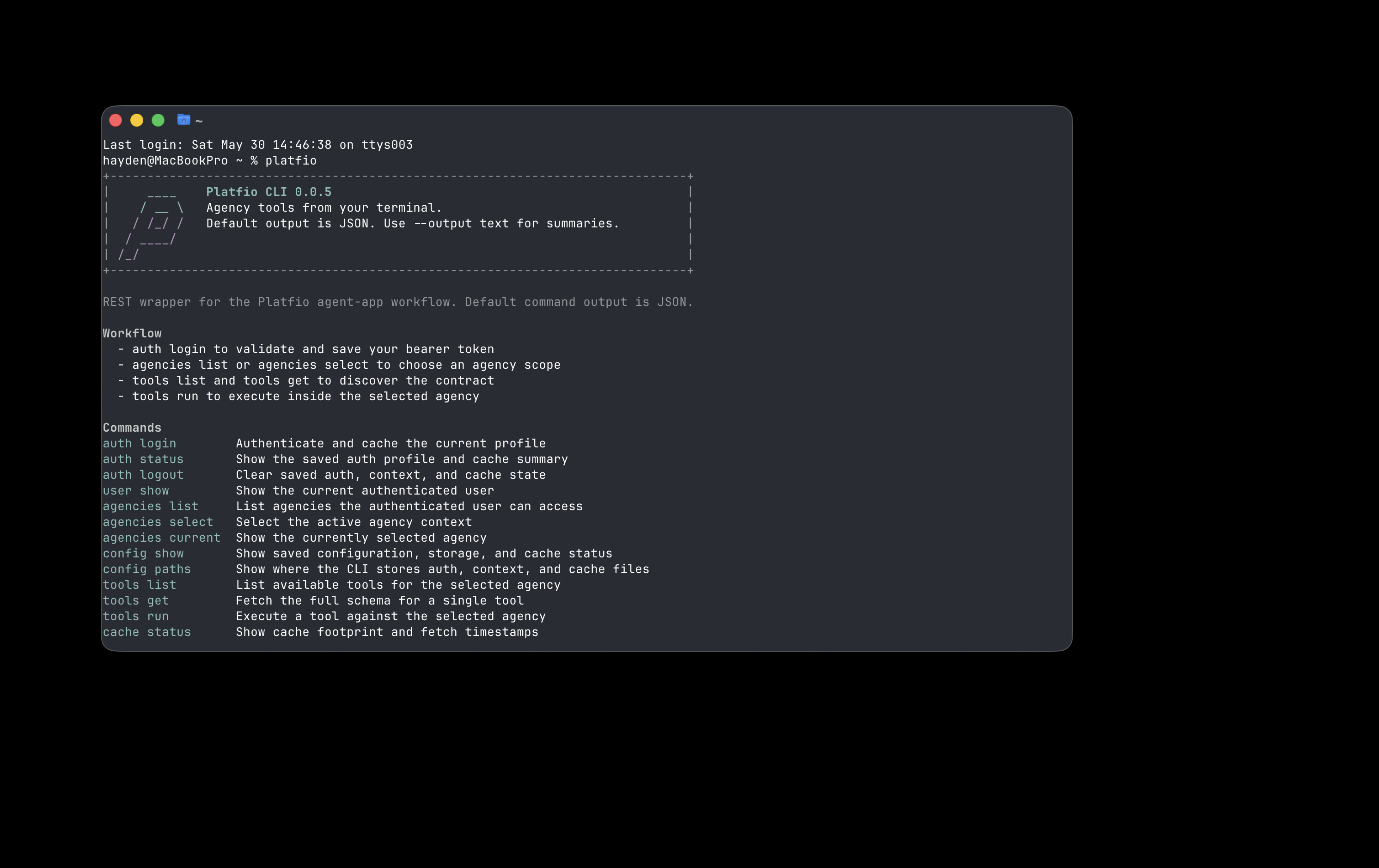
A tool built for the first-party agent should often be reusable through MCP. A connector built for external agents should often be callable from your own UI. A CLI built for internal operators should often share the same auth and action layer as the agent.
The architecture I keep coming back to has shared tools and auth at the center, with multiple entry points around them.
flowchart BT
  Tools["Shared tools"]
  Auth["Auth"]
  Harness["Our harness"]
  Connectors["MCP Connectors"]
  CLI["CLI tools"]
  HarnessExamples["Eg. our first-party agent UI"]
  ConnectorExamples["Eg. Claude Code, Cowork Codex, Manus, Perplexity"]
  CLIExamples["Eg. humans, CI/CD systems, OpenClaw-style TUI agents"]

  Harness --> Auth
  Connectors --> Auth
  CLI --> Auth
  Auth --> Tools
  HarnessExamples --> Harness
  ConnectorExamples --> Connectors
  CLIExamples --> CLI

  linkStyle 4,5,6 stroke:transparent,stroke-width:0px
  style Harness stroke:#475569,stroke-width:2px
  style HarnessExamples fill:transparent,stroke:transparent,color:#64748b,font-size:12px
  style ConnectorExamples fill:transparent,stroke:transparent,color:#64748b,font-size:12px
  style CLIExamples fill:transparent,stroke:transparent,color:#64748b,font-size:12px
This is how you avoid building a beautiful agent demo beside a separate pile of real operational software.
The goal is not to make everything agentic. The goal is to design capabilities once, expose them through multiple surfaces, and let humans and agents collaborate through the same reliable substrate.
The lesson
Agents do not become useful just because they can call tools. They become useful when the surrounding product gives them structure.
A good harness narrows the action space, shows its work, controls cost, preserves state, recovers from failure, and keeps humans in charge. It gives the model enough room to be intelligent without asking it to be the entire system.
That is the part worth building deliberately.